
HOW IT WORKS
How Bouncer blocks your apps
Everything runs on Rules. Each Rule combines three choices:
Build a Rule
Choose the apps
Start from a preset (Focus, Sleep, Social) or create your own Rule, then select the apps in Apple’s app picker. Bouncer runs on Screen Time.
Choose the moment
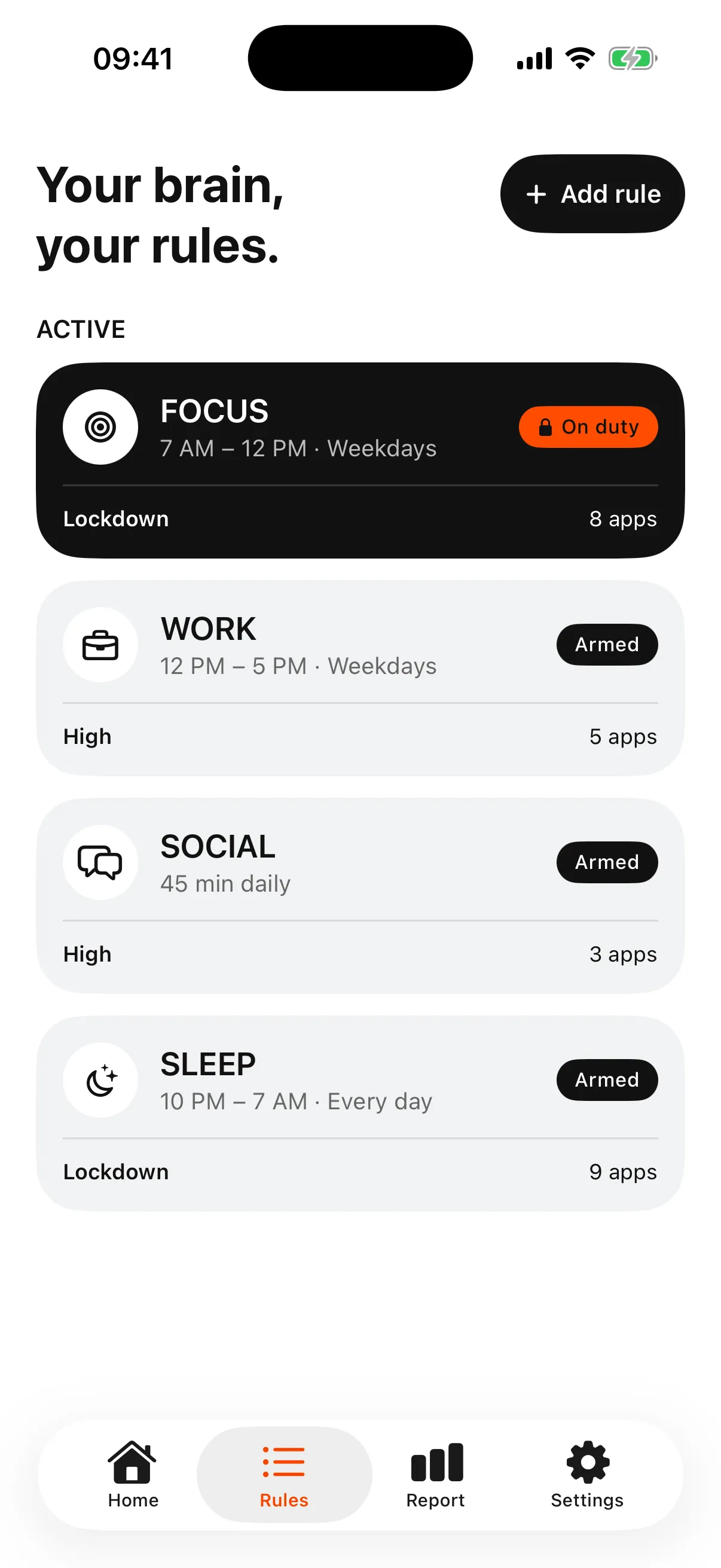
Choose how hard the door should hold
The Level decides what happens when you still want in. Use the right Level for each situation, and increase it when you feel ready.
Normal, High and Lockdown in detail0:10

A short pause at the door.
List closed
Until the window ends

Walk away.
Illustrative preview, as in the app. Real waits vary.
When you open a blocked app
With Normal or High, getting in is still possible, but it is a decision. With Lockdown, the list stays closed until the window ends.



Web illustration of the Normal Level, using the app’s own text.
Questions
Does Bouncer need a jailbreak?
No. Bouncer uses Apple’s Screen Time framework after you give Screen Time authorization.
Do Rules work if I don’t open Bouncer?
Yes. Once a Rule is armed, Screen Time enforces it on your iPhone, even when Bouncer is closed.
Schedule or daily limit: which one?
A schedule protects a specific moment, such as work or the evening. A daily limit gives you an amount of time per day, used whenever you want. A Rule has one trigger.
What if I walk away during the wait?
Nothing opens, and the next High wait does not grow.
Can I have several Rules?
Yes. Each Rule has its own apps, moment and Level, for example Focus during the day and Sleep at night.
Can I choose the days?
Yes. A scheduled window can apply every day or only on the days you pick, such as weekdays.
Does a daily limit reset?
Yes, every day. Once the limit is reached, the apps stay blocked until the next day, apart from any temporary access your Level allows.
Can I edit a Rule when it is not on duty?
Yes, freely.
Which iPhones does Bouncer support?
iPhone with iOS 17 or later. The app is available in English and French.
Does Bouncer warn me before a Rule starts?
Yes. A notification arrives 10 minutes before a scheduled window starts. You can turn it off in Settings.
Can I edit a Rule while it is on duty?
An active Normal or High Rule asks for the same wait as an unblock, except during temporary access. An active Lockdown cannot be edited.
How do I get out of a Lockdown?
Lockdown ends when its window ends. One local Emergency Pass can turn off active Lockdowns; it returns seven days after use and does not accumulate.
Can I delete apps during Lockdown?
While a Lockdown is on duty, app removal is restricted. No app can promise that every workaround is impossible.
What happens if my subscription ends?
The app locks, but Rules you already armed keep blocking the apps you chose.
What does the Report show?
Daily averages for time in blacklisted apps and total screen time. No score, no “time saved” estimate.
Does my data leave my iPhone?
No account. Your Screen Time data, app selections and Rules stay on your iPhone. Bouncer sends only a limited set of anonymous operational events and crash diagnostics.
Does Bouncer block websites?
No. Bouncer blocks apps, not individual websites.